Shopify 2.0 Portfolio
WinSport
Theme
End-to-end Shopify theme development — from Dawn base to production-ready store
10 Phases · Custom Design · Zero Dependencies
The Numbers
Structure → Design → Sections → Metafields → App Data → VAT Pricing → JS Interactions → Performance → Git → Docs
Built With
Shopify 2.0
Online Store 2.0 architecture with JSON templates and section-everywhere support
Liquid
Shopify's templating language with filters, conditional rendering, and metafield access
Vanilla JS
Web Components, custom elements, zero jQuery — event delegation and module pattern
Mobile-First
Responsive design, CSS custom properties, no preprocessors
Dawn v15.4.1
Shopify's reference theme — fully customized and extended
Shopify CLI
Local development, theme push/pull, Lighthouse audits
Before: Dawn Default
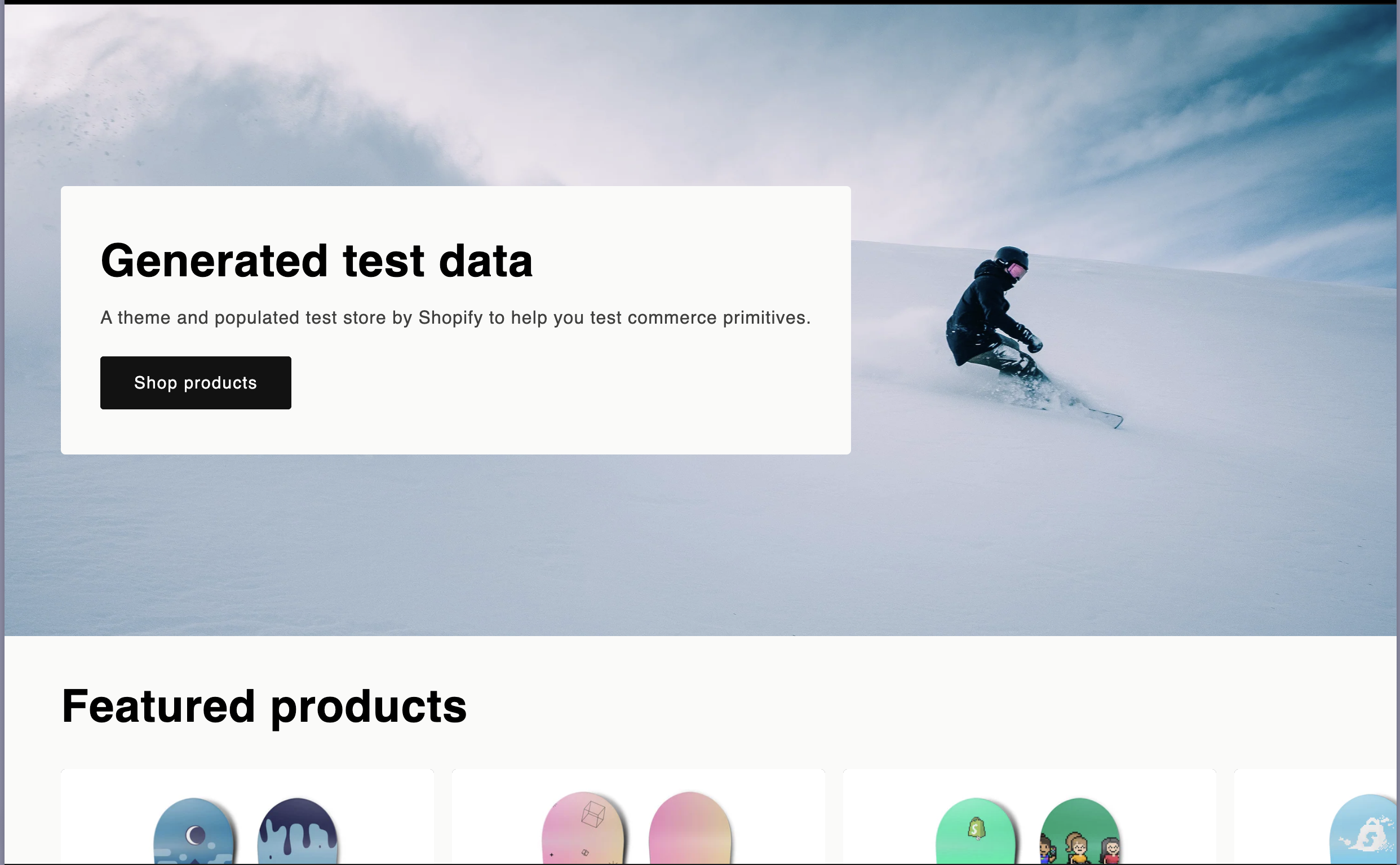
Stock Dawn theme — generic, no brand identity
After: WinSport Design
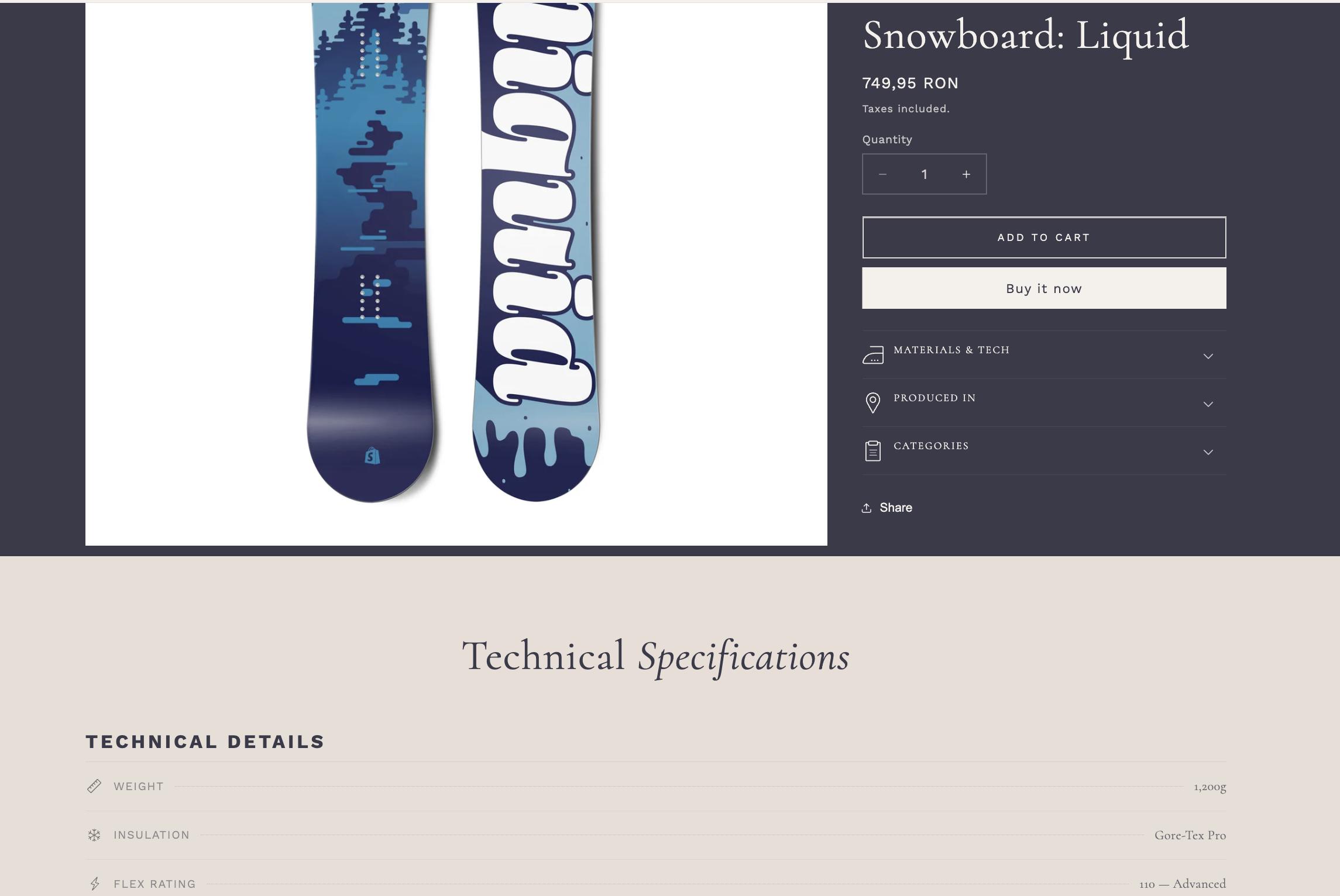
Custom luxury sports aesthetic — Cormorant + Work Sans, beige & navy palette
Design System
- Pixel-accurate Figma implementation
- Mobile-first responsive approach
- No page builders — all code
- CSS custom properties for theming
- Consistent spacing & typography scale
Dynamic Blocks
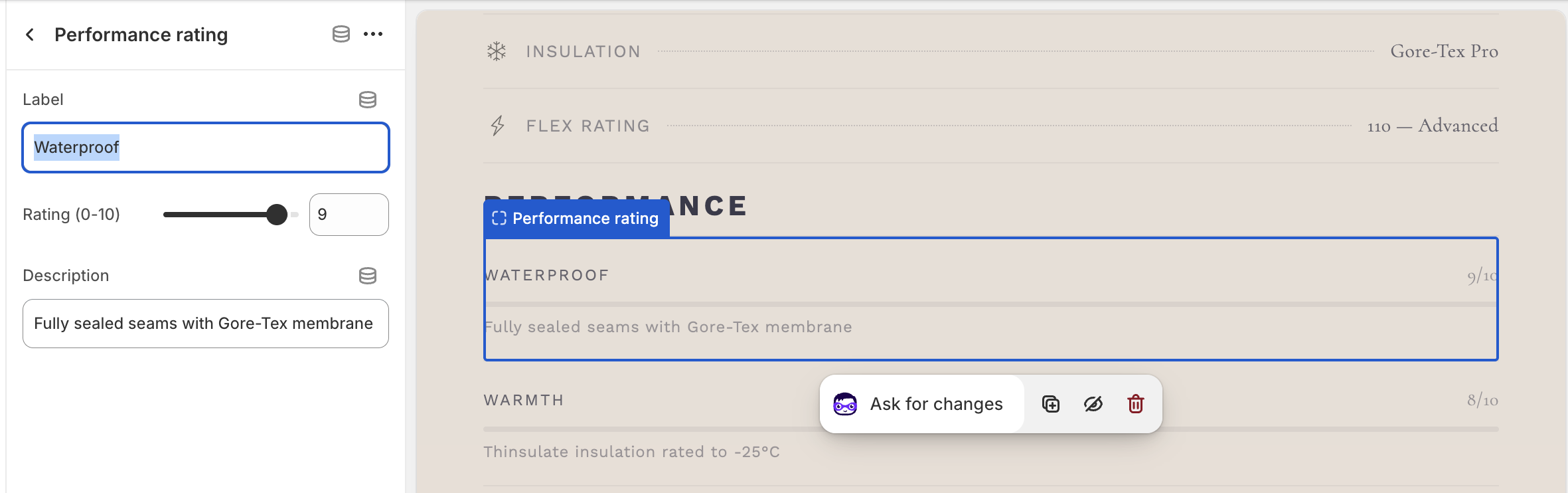
- Custom sections with {% schema %} blocks
- Drag-and-drop reordering in admin
- JSON templates for section-everywhere
- Specs showcase section on PDP
- Product Features with dynamic content
Product Metafields
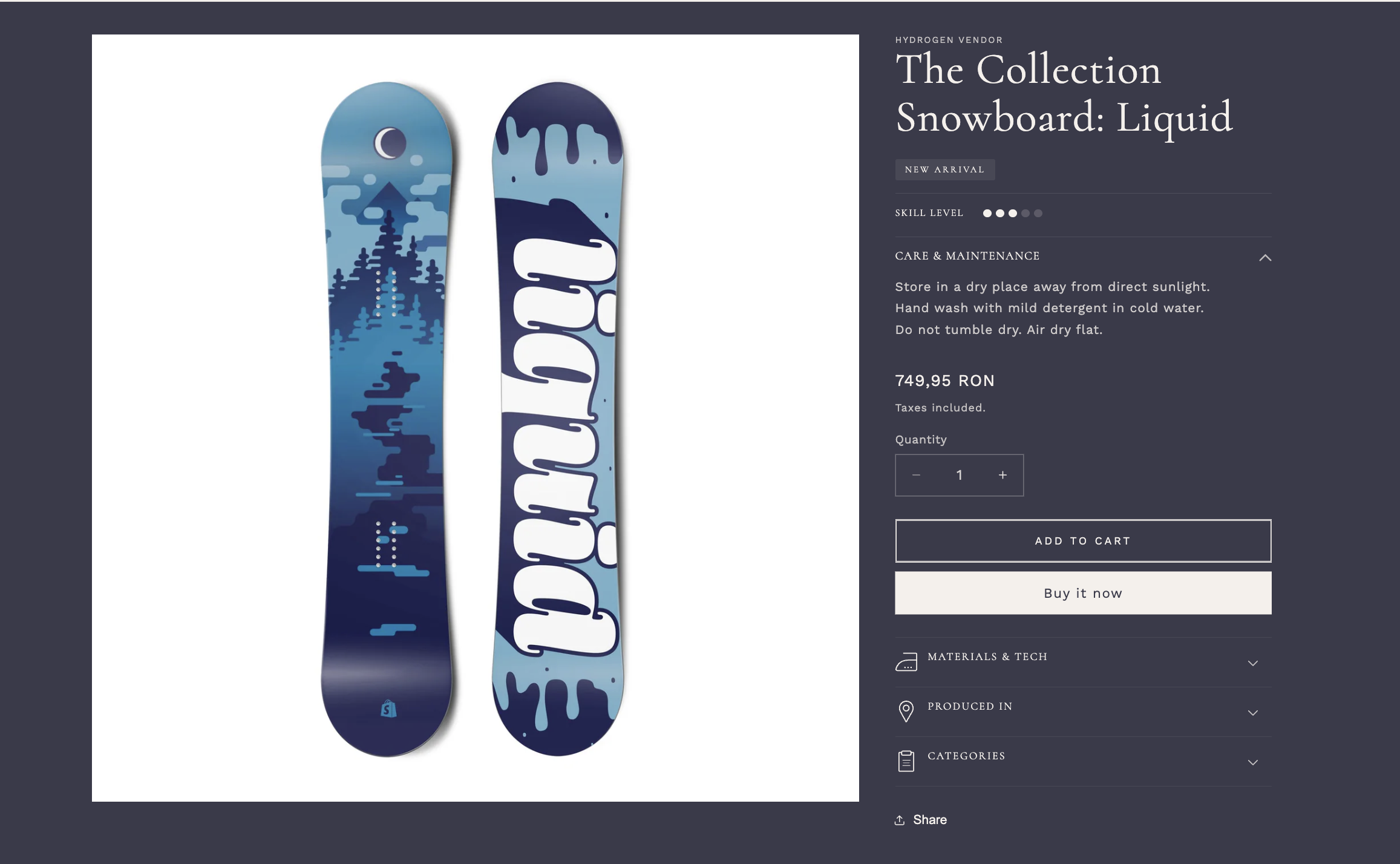
- care_instructions — multi-line text
- difficulty_rating — numeric scale
- is_new_arrival — boolean badge
- Show only if filled — zero output when empty
- Collapsible accordion UI pattern
Admin Setup
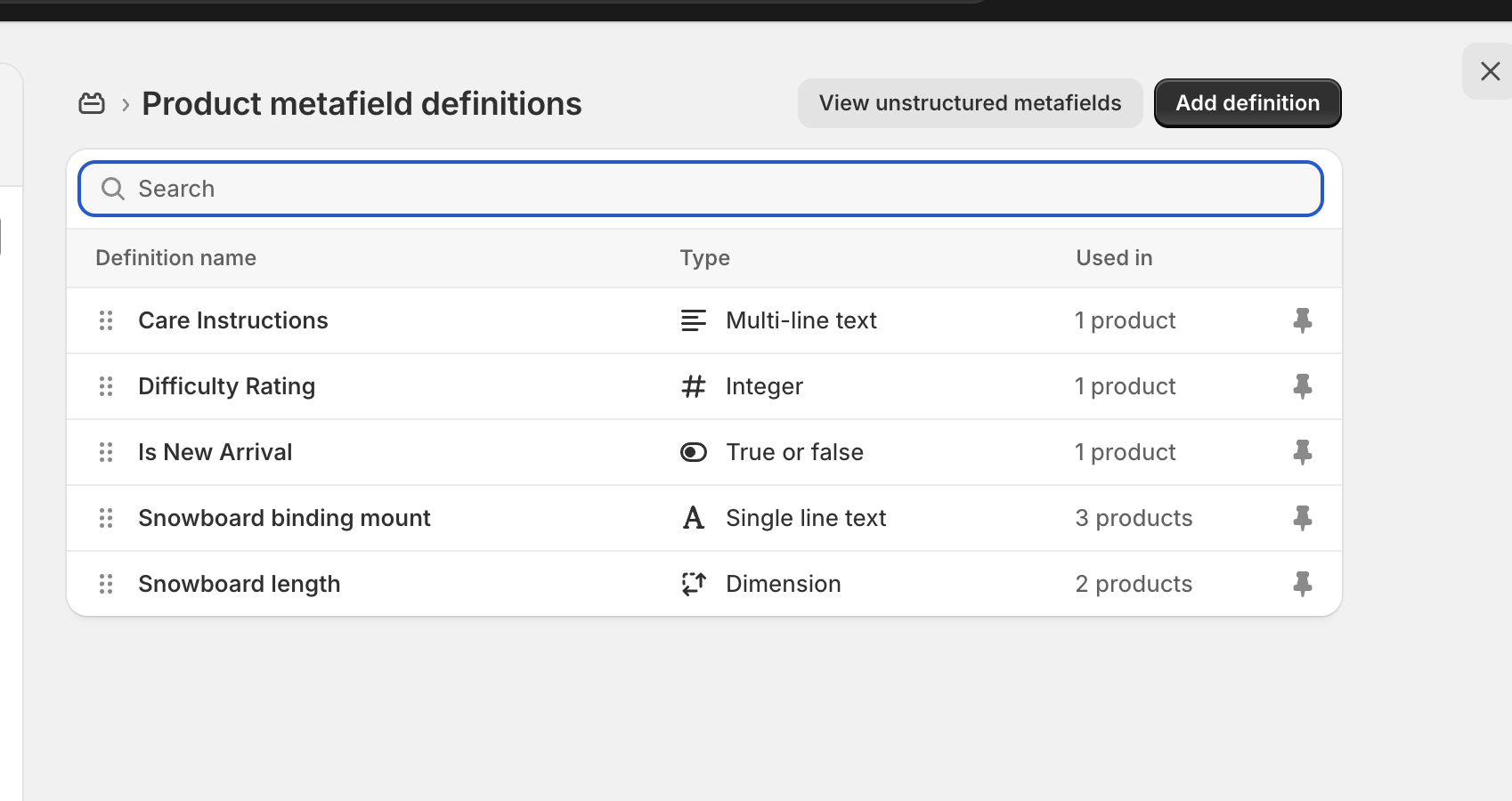
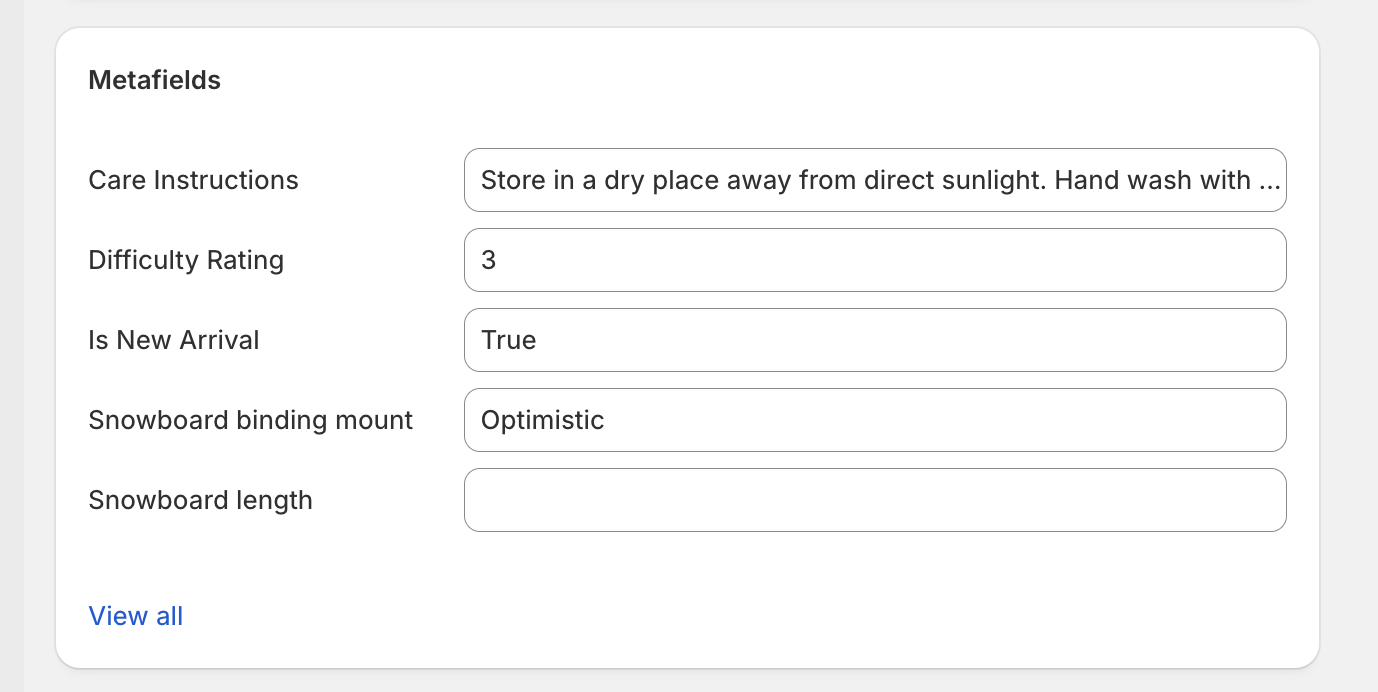
Settings → Custom data → Products — merchant-friendly setup
App Data: Collection Badge
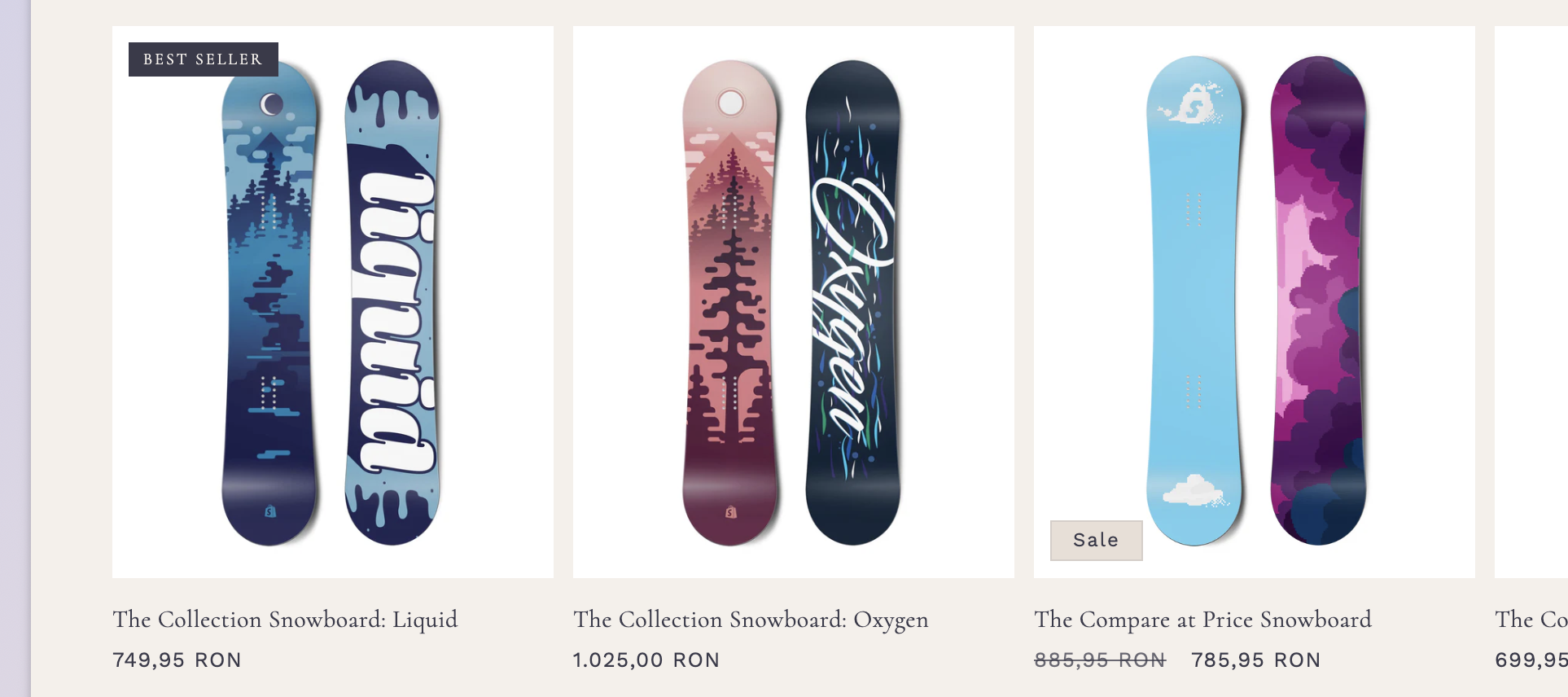
- Simulates external app data via app_data.* namespace
- Double guard: badge_enabled + badge_text
- Defensive coding — zero errors if app removed
- Positioned independently from Sale/Sold Out badges
App Data: PDP Certifications
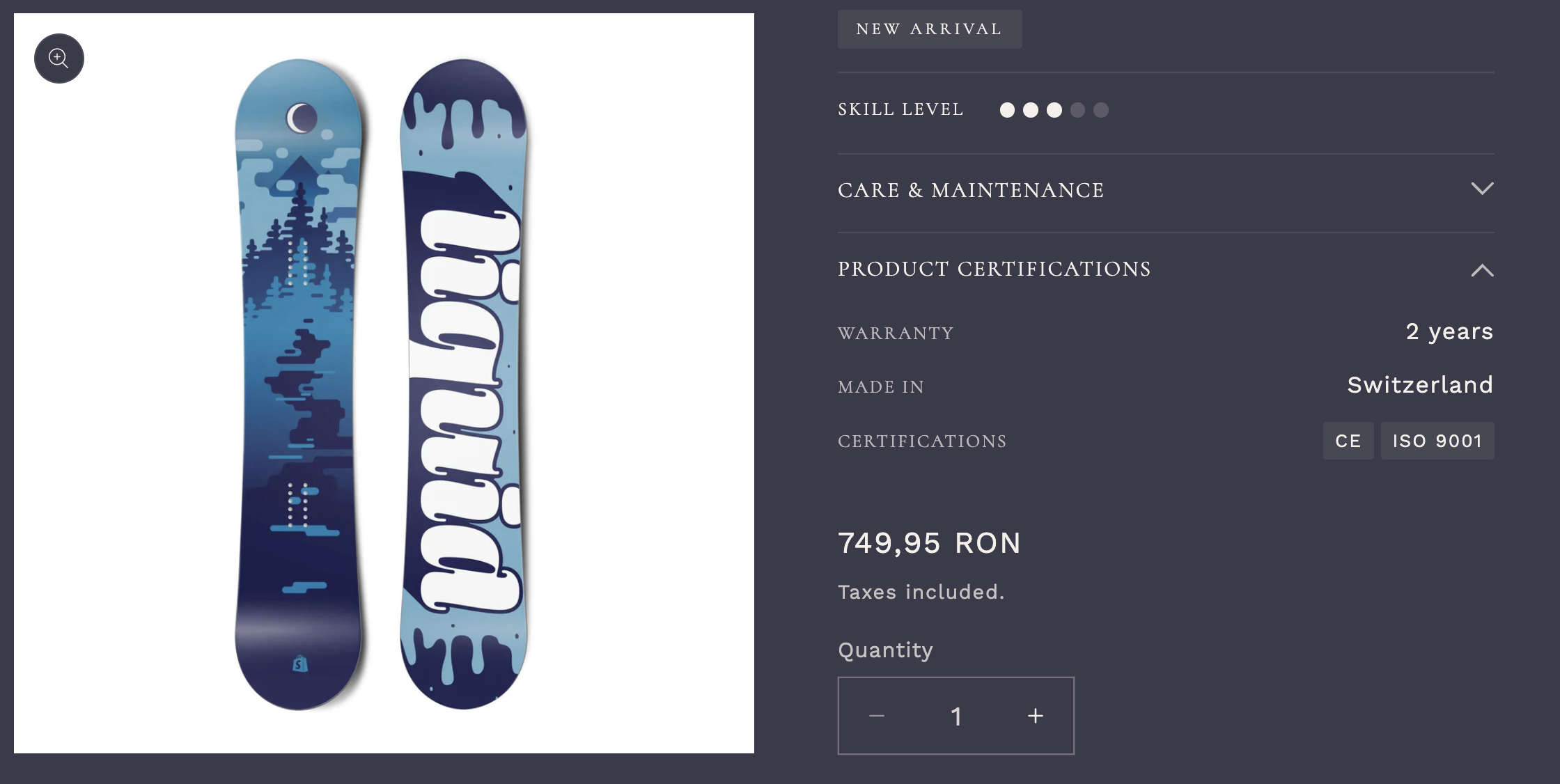
- extra_info JSON: warranty, origin, certifications[]
- Each key checked independently before render
- Certifications as pill tags via
for cert in - App-uninstall safe — graceful degradation
Custom VAT Pricing
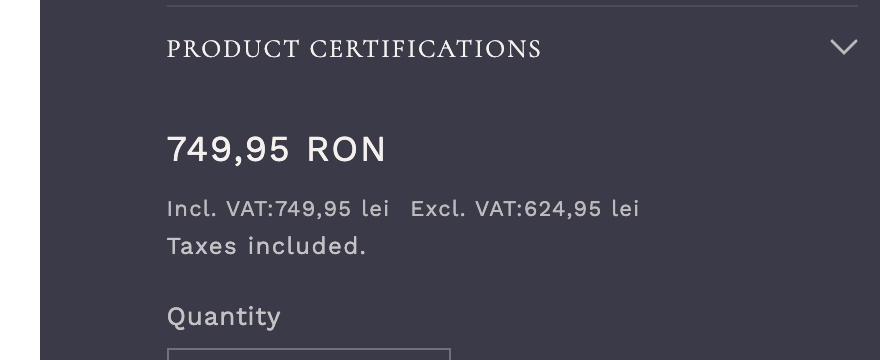
- Per-product custom.show_tax boolean metafield
- Price incl. VAT & excl. VAT display
- Sale price support with compare_at_price
- Consistent across PDP, Collection, Cart
Price Logic
{%- assign show_tax = product.metafields.custom.show_tax.value -%}
{%- assign tax_rate = settings.tax_rate | divided_by: 100.0 -%}
{%- if show_tax -%}
{%- assign price_inc = price | times: 1 -%}
{%- assign price_exc = price | divided_by: tax_factor -%}
<span class="price--inc">{{ price_inc | money }} incl. VAT</span>
<span class="price--exc">{{ price_exc | money }} excl. VAT</span>
{%- endif -%}
{%- compare_at_price support for sale badges -%}
{%- if compare_at_price > price -%}
<s class="price--was">{{ compare_at_price | money }}</s>
{%- endif -%}
JavaScript Interactions
Product Tabs
Custom <product-tabs> element with keyboard navigation, ARIA attributes, and section rendering API
Variant Picker
Dynamic variant selection updating price, availability, and images without page reload
Sticky ATC
Intersection Observer-based sticky Add to Cart bar — appears on scroll past main button
Zero jQuery · Custom Elements API · Event Delegation · data-* Attributes
Product Tabs
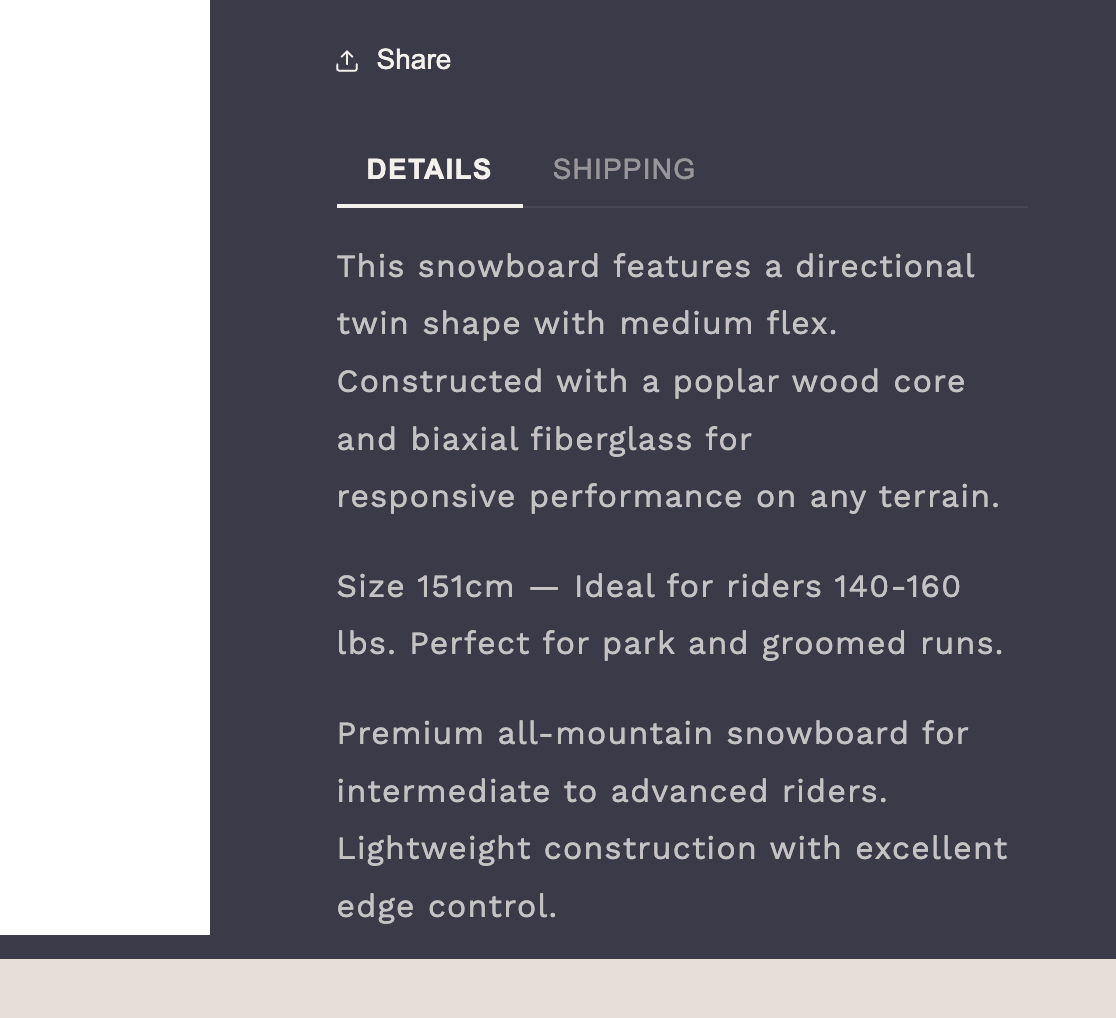
Description, Specifications, Shipping — accessible tab navigation with ARIA roles
Variant Picker & Sticky ATC
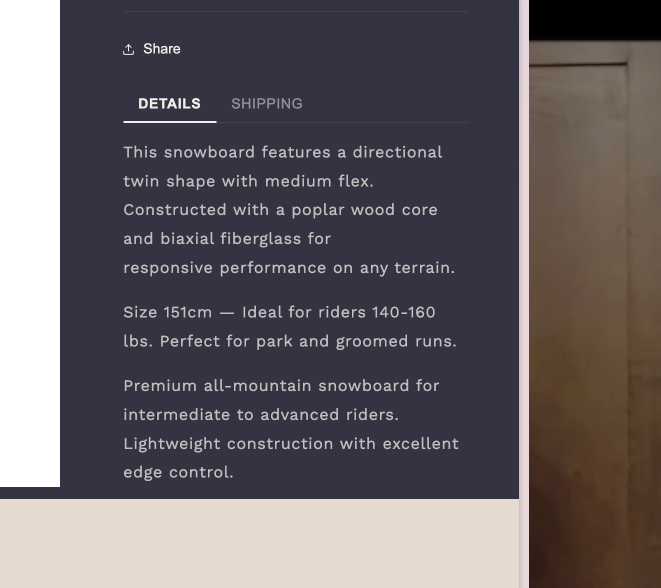

Web Components Pattern
constructor() {
super();
this.buttons = this.querySelectorAll('[role="tab"]');
this.panels = this.querySelectorAll('[role="tabpanel"]');
}
connectedCallback() {
this.addEventListener('click', this.handleClick);
this.addEventListener('keydown', this.handleKeydown);
}
switchTab(target) {
this.buttons.forEach(btn => btn.setAttribute('aria-selected', 'false'));
target.setAttribute('aria-selected', 'true');
// ... panel visibility logic
}
}
customElements.define('product-tabs', ProductTabs);
Performance Optimizations
Deferred Styles
Non-critical CSS loaded asynchronously via media="print" swap pattern, eliminating render-blocking
Content Visibility
content-visibility: auto on below-fold sections, reducing initial rendering work by ~40%
LCP Optimization
Hero image preload with fetchpriority="high", responsive srcset, WebP via Shopify CDN
Smart Loading
loading="lazy" below fold, eager for LCP — no lazy on hero images
Layout Stability
Explicit width/height on all images, aspect-ratio CSS, no above-fold shifts
Minimal Markup
Semantic HTML, reduced wrapper nesting, efficient Liquid loops
Render-Blocking Reduction
<link rel="stylesheet" href="component-card.css"
media="print" onload="this.media='all'">
<!-- LCP hero preload -->
<link rel="preload" as="image" fetchpriority="high"
href="{{ hero_image | image_url: width: 1200 }}"
imagesrcset="...">
<!-- Content visibility for below-fold -->
.section--below-fold {
content-visibility: auto;
contain-intrinsic-size: auto 500px;
}
Every optimization follows Shopify best practices — no external dependencies needed
Skills Demonstrated
Thank You
WinSport Portfolio Theme
Shopify 2.0 · Liquid · Vanilla JS · Mobile-First · Dawn v15.4.1
Press Space or click to navigate · Auto-advances every 6 seconds